Filetype Xls Inurl Passwordxls Verified -
Unlocking the Risks: A Deep Dive into "filetype:xls inurl:passwordxls verified"
audits to identify "leaked documents" and "open directories" before malicious actors do. Risk of Breach
: A malicious actor runs the dork, locates the spreadsheet, and downloads it directly via their browser. Remediation and Defensive Strategies
Configure your web servers (Apache, Nginx, IIS) to disable directory browsing. A simple .htaccess rule can prevent unauthorized listing of file contents. filetype xls inurl passwordxls verified
The search string filetype:xls inurl:password serves as a stark reminder of how easily data can slip into the public eye. Security relies on proactive defense. Audit your public web directories regularly, run your own Google Dorks to find leaks early, and enforce the use of secure credential managers across your entire organization. To help secure your specific environment, let me know: What or hosting service your team uses? Do you currently use an enterprise password manager ?
| Component | Meaning | |-----------|---------| | filetype:xls | Only Excel 97-2003 files | | inurl:password.xls | Filename appears in the URL | | verified | Confirmed to contain real credentials (community marker) | | | Find confirmed, publicly accessible Excel files storing passwords |
: Depending on the jurisdiction and the specific content of the files, accessing, storing, or distributing certain types of data could have legal consequences. For example, distributing or possessing files with copyrighted material without authorization is illegal. Unlocking the Risks: A Deep Dive into "filetype:xls
Data exposure via search engines typically follows a distinct pattern:
The existence of a search like filetype:xls inurl:"password.xls" serves as a stark and sobering reminder of the immense power of search engines, which can be used for both good and ill. The query itself is a piece of code, but the human decision to upload and store password.xls in a public folder is the true vulnerability. The path to security doesn't require arcane knowledge; it requires a commitment to the cybersecurity fundamentals: never expose what you want to keep private, control how your content is indexed, secure your files with more than just a hope, and educate your users. In the world of Google dorking, the hackers are only as powerful as your data allows them to be.
: Publicly accessible files with sensitive information in their names can lead to data exposure. This is a concern for organizations and individuals who share or store sensitive data. A simple
Organizations rarely expose password logs on purpose. These leaks usually happen because of misconfigurations and poor habits.
Perhaps most concerning is that Google Dorking represents —actions that security teams cannot detect. While active reconnaissance (like probing a network) may trigger alarms, Google Dorking is only known to Google itself, which does not detect the dorks nor warn the companies being targeted. This gives malicious actors a method to conduct reconnaissance without warning their target, increasing their odds of success.
: This term is added to filter for results that may have been checked or listed by certain, often questionable, security or data aggregation sites.
If you would like to expand on your security protocol, let me know:
However, it's crucial to be aware of a key limitation: It relies on the cooperation of search engines, and it publicly lists the directories you want hidden, potentially alerting attackers to their importance. Its primary purpose is to manage crawl traffic, not to secure confidential information.
Ampia Gamma di Prodotti
Sul sito serpone.it trovi un'amplissima scelta di prodotti.
Se hai mai visitato i nostri punti vendita di Roma o di Napoli, o se hai consultato uno dei nostri cataloghi, ne hai avuto prova.

E tutti i giorni ne aggiungiamo di nuovi.
Naviga tra i reparti del sito, anche solo per curiosità.
Torna spesso, troverai sempre qualcosa in più.
E poi, qualsiasi cosa sia, la spediamo in tutto il mondo:
Spedizioni in tutto il Mondo
×
Spedizioni in tutto il Mondo
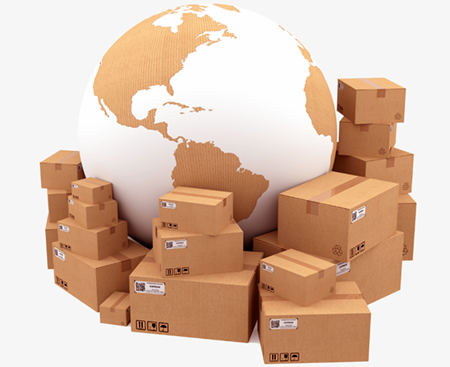
Tutti i nostri prodotti, in tutto il mondo!
Utilizziamo i corrieri internazionali più conosciuti e sicuri e la spedizione include assicurazione contro rotture o smarrimenti.

Destinazione in Italia: per 100,00 € di spesa:
SPEDIZIONE GRATUITA!
(per acquisti inferiori, contributo fisso di 20,00 €)
Destinazione fuori Italia: il costo è calcolato automaticamente nel carrello a secondo dei prodotti e del paese di destinazione. Se questo costo fosse troppo alto, contattaci: cercheremo una spedizione più conveniente!
Acquista online, e riceverai punti fedeltà che potrai utilizzare per pagare successivi acquisti:
Punti Fedeltà
×
Punti Fedeltà
Per ogni prodotto acquistato su serpone.it, riceverai Punti Fedeltà.
 I Punti Fedeltà saranno visibili nel tuo account dopo che l’ordine sarà spedito.
Ogni prodotto riporta i Punti Fedeltà che si accumulano acquistandolo ed anche il suo prezzo in Punti.
Potrai utilizzare i Punti Fedeltà che avrai accumulato per tutti gli acquisti sul sito.
E se devi fare un regalo e non conosci i gusti o le necessità di che deve riceverlo guarda la sezione:
Buoni Regalo
×
Buoni Regalo
 Vuoi fare un regalo e non conosci i gusti o le necessità di chi deve riceverlo?
Ordinazione, Prima Messa, 25° di Sacerdozio, aiuto per gli arredi della Parrocchia, un presente di ringraziamento, ma anche il Compleanno.
Acquista un Buono Regalo!
Il miglior modo per non fare errori.
La persona che lo riceve sceglie il prodotto che più gli è utile, e tu non rischi di regalare qualcosa di superfluo.
Acquista un Buono Regalo adesso!
×